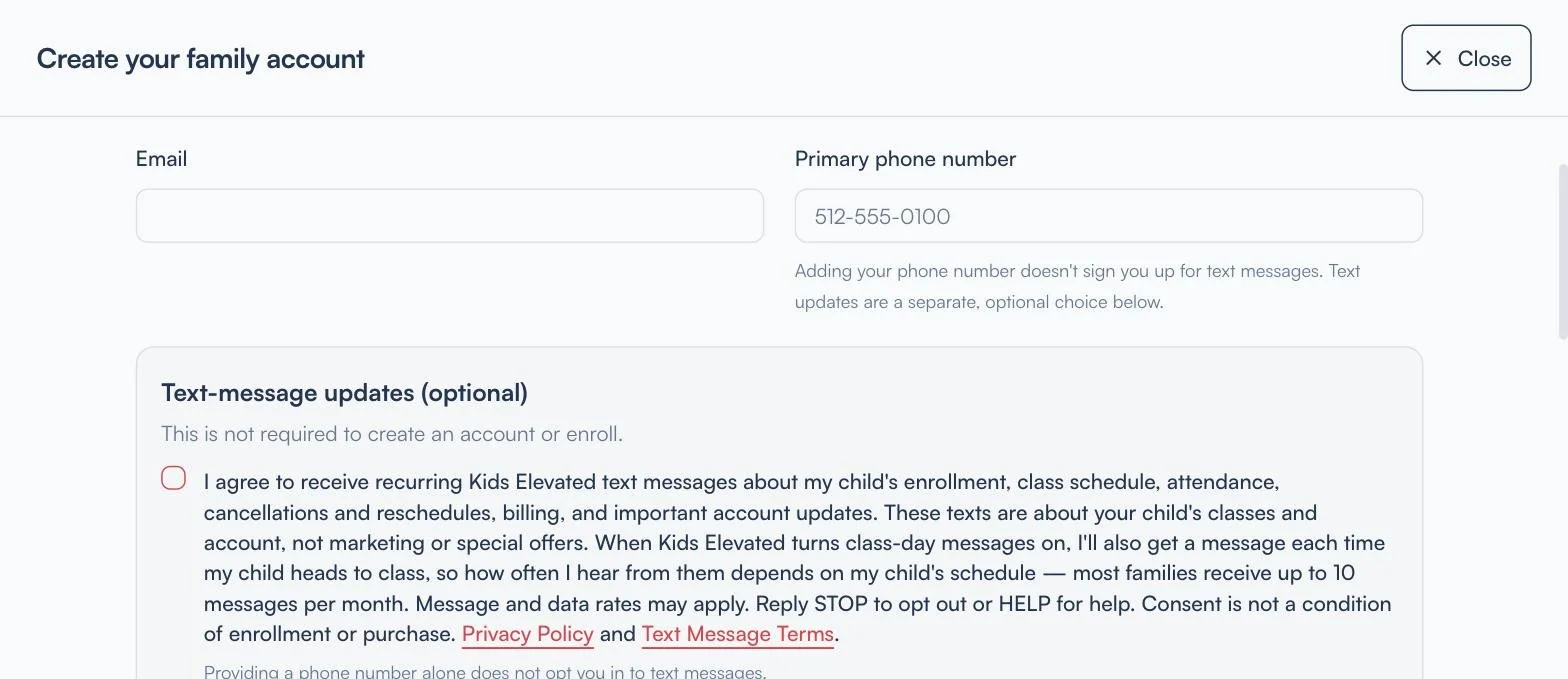
How parents sign up for Kids Elevated text messages
Parents enroll online at https://app.kidselevated.com/#/classes . After choosing a class and selecting "Continue to family details," the first step is "Create your family account." Directly beneath the phone number field is the optional text-message checkbox shown here. It is unchecked by default, it is separate from every other choice on the page, and parents can create an account and enroll whether or not it is checked. Providing a phone number alone does not opt a parent in to text messages.
The wording next to the checkbox links to our Text Message Terms (https://www.kidselevated.com/sms-terms ) and Privacy Policy (https://www.kidselevated.com/privacy ). Parents can opt out at any time by replying STOP to any message.